
Your Cookiebot bill doubled in August 2025. Or you just got redirected to something called “Usercentrics Web CMP” when you tried to sign up for Cookiebot, and you’re wondering what happened to the product you actually wanted.
Either way, you’re here. The good news: there are solid cookiebot alternatives – several of which are cheaper, easier to use, and in some cases do more.
Quick answer: For most small businesses, CookieYes is the best Cookiebot alternative. It handles GDPR and CCPA compliance, costs less per domain, and is easy enough that you won’t spend an afternoon configuring it. For WordPress sites specifically, Complianz is worth a look. If you manage multiple domains or need DSAR automation, Enzuzo is the only tool on this list with flat multi-domain pricing.
We’ve independently reviewed most of the tools below – where we have a full review, we’ll point you to it.
Why people are switching from Cookiebot in 2026
Two things happened in 2025 that pushed a lot of Cookiebot customers to start shopping around.
The first was a pricing change. In August 2025, Cookiebot doubled its base Premium pricing – from roughly €15 to €30 per domain per month. Customers managing fewer than four domains were automatically moved to the more expensive Medium tier, with no action required on their part. Your bill just went up, whether you noticed or not.
The second was a product transition. Usercentrics (which owns Cookiebot) now redirects all new signups to Usercentrics Web CMP – a separate platform. Existing customers stay on the legacy Cookiebot product, but new accounts are onboarded into a different product. If you’re evaluating tools for the first time, you might not even be looking at Cookiebot without realizing it.
Neither of these is a disaster in isolation, but together they’re a reasonable trigger to ask: is there something better suited to my site?
For a deeper look at what Cookiebot offers – and where it falls short – see our full Cookiebot review.
What to look for in a Cookiebot alternative
Before running through the list, here are the things that actually matter when choosing a cookie consent tool.
GDPR and CCPA coverage. Your banner needs to block non-essential scripts until consent is given, log that consent, and show the right banner for the right region. If a tool can’t do these three things reliably, skip it. If you’re not sure what a consent management platform (CMP) actually does, our CMP explainer covers the basics.
Pricing model. Most tools – including Cookiebot – charge per domain. This adds up fast if you run multiple sites. A few tools (Enzuzo is the main one) charge a flat rate per tier regardless of domain count.
Ease of setup. You shouldn’t need a developer to get a consent banner running. The best tools have a setup wizard or a simple JavaScript snippet that gets you live in under 30 minutes.
Google Consent Mode v2 support. If you’re running Google Ads or GA4, this matters. Without it, your ad attribution breaks under GDPR consent flows.
Honest free tiers. Some free plans are genuinely useful. Others limit you to 200 visitors a month, which is not useful for anyone. We’ll be specific about what each free tier actually includes.
The best Cookiebot alternatives
After testing and research, here are eight tools we’d recommend looking at – with honest verdicts on each.
1. CookieYes – best for small businesses and WordPress
TL;DR: Best for single-site SMBs who want a clean, easy setup and reliable GDPR/CCPA compliance. Not ideal for multi-domain setups.
CookieYes is the most popular Cookiebot alternative among small businesses right now, with over 1.5 million WordPress plugin installs and strong ratings on G2 and Capterra. It’s not flashy, but it does the basics well.
The free tier covers one site with basic banner customization and unlimited page views – a better starting point than most tools offer. Paid plans start at around $10/month per domain, which is cheaper than Cookiebot’s current Medium pricing.
Where CookieYes earns its reputation: automatic cookie scanning and categorization, script blocking out of the box, consent logging, and banner translation into 40+ languages. It’s the closest thing to a “set it and forget it” option in this category.
What it doesn’t do: DSAR automation at any tier, API access, or native Shopify support. And if you’re managing more than two domains, the per-domain pricing erases the cost advantage over Cookiebot fairly quickly.
Verdict: The safest default choice for single-site compliance. Easy to set up, fairly priced, and reliable. Just know that it doesn’t scale gracefully to multi-domain setups.
2. Complianz – best WordPress-native plugin
TL;DR: Best for WordPress users who want a plugin that feels like it was built for WordPress – because it was.
Complianz is a WordPress-first plugin with a setup wizard that walks you through configuring consent for GDPR, CCPA, and several other regional privacy laws. It runs inside your WordPress dashboard rather than as a cloud platform, which makes it feel more integrated than most tools.
Its standout feature is conditional consent: it only shows a banner in regions where one is legally required. A visitor from a US state without active privacy legislation? No banner. A visitor from Germany? Full GDPR banner. This is better-targeted than Cookiebot’s approach, and it avoids showing consent notices to people who don’t need to see them.
The free version is solid – cookie scanning, basic banner customization, and the full setup wizard are all included. Paid plans start at $59/year for a single site.
Worth noting: it’s WordPress-only. If your stack includes a Shopify store or any non-WordPress site, you’ll need a separate tool for that.
Verdict: Top pick for WordPress sites. The wizard alone saves a lot of setup time, and the geo-targeted banner logic is genuinely useful.
3. Termly – best for sites that also need a privacy policy
TL;DR: Best if you need cookie consent and legal documents – privacy policy, terms of service, cookie policy – under one subscription.
Termly combines cookie consent management with a suite of legal document generators. For small businesses that would otherwise pay separately for a privacy policy template and a consent tool, it makes sense to consolidate.
The compliance features are solid: geo-targeting, Google Consent Mode v2, and clean consent logging on the paid tier. It’s not the most feature-rich tool on this list, but it covers what most single-site businesses actually need.
Paid plans start at $10/month (annual billing), per site. No DSAR automation, no API access, and the free plan has notable limitations. But if you’re a single-site business that needs both consent and legal documents sorted, Termly is one of the better-value options here.
Verdict: A narrow recommendation, but a strong one within that use case. If you need a privacy policy and cookie consent sorted at the same time, this is the most efficient path.
4. CookieScript – best value for mid-sized sites
TL;DR: Best for mid-sized sites that want solid compliance features without an enterprise price tag.
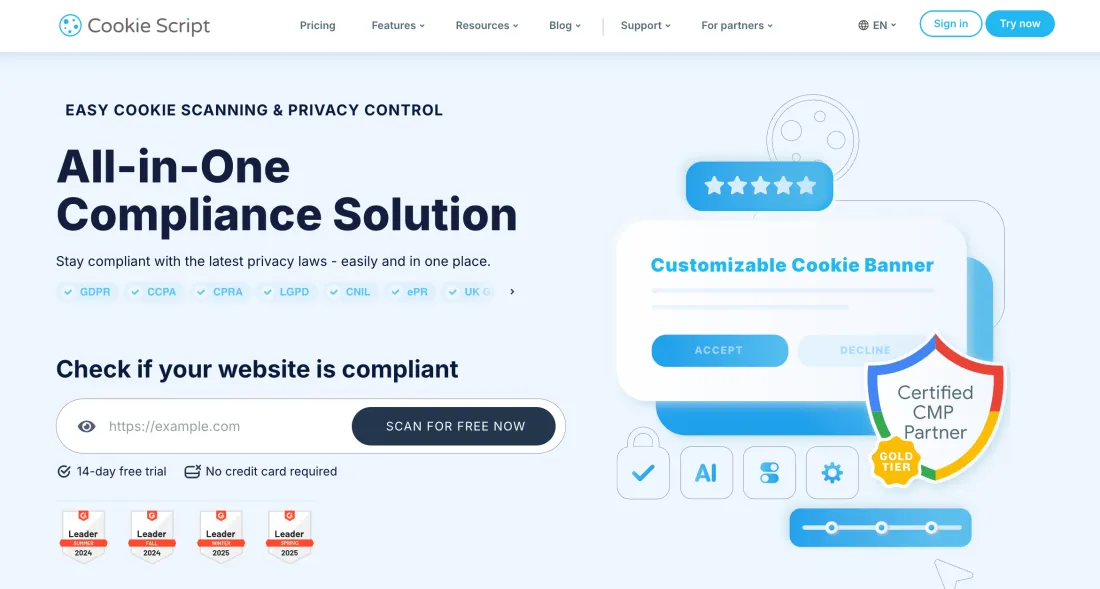
CookieScript offers automatic cookie scanning, geo-targeting, Google Consent Mode v2 support, and a reasonable level of banner customization. It sits in a useful middle ground – more capable than CookieYes for complex needs, but nowhere near the cost of enterprise tools.
The pricing is per domain, with a free plan for basic setups. Paid plans don’t have the page-count billing quirks that Cookiebot is known for.
For a detailed breakdown of how it compares to the competition, read our full CookieScript review.
Verdict: A solid, no-nonsense tool that punches above its price. Worth a look if CookieYes feels too basic for your needs but OneTrust feels like overkill.
5. Ketch – best free option for GDPR and ad-platform compliance
TL;DR: Best free option if you need Google Consent Mode v2 and real geo-targeting without paying anything.
Ketch has a genuinely good free plan – not the “200 visitors a month” kind, but one that includes cookie consent, geo-targeting, and Google Consent Mode v2 support. That combination is rare at no cost.
The tool is designed to work well with ad platforms. If you’re running Google Ads or Meta Ads under GDPR, Ketch handles consent signal passing correctly – which is the part that actually matters for your ad measurement and attribution.
One honest caveat: the setup is more technical than CookieYes or Termly. Ketch is clearly aimed at developers or technical marketers. If you’re comfortable with a JavaScript snippet and a bit of configuration, it’s one of the most capable free tools available.
Read our full Ketch review for the complete breakdown.
Verdict: The best free option if you need ad-platform compliance built in. Not beginner-friendly, but genuinely powerful for what it costs.
6. Osano – best for mid-market privacy programs
TL;DR: Best for mid-sized companies whose compliance needs have grown beyond “just the banner.”
Osano goes further than most tools on this list. Beyond cookie consent banners, it includes data subject request (DSR) management, vendor risk monitoring, and a privacy training module. If your organization needs to handle DSARs systematically or wants to monitor third-party vendor compliance, Osano is one of the few tools in a reasonable price range that covers this.
The downside: it’s expensive relative to everything above. Osano has removed public pricing from its website and now gates quotes behind a sales call. Based on previous published rates, expect to start well above $100/month.
Read our full Osano review before committing to a call.
Verdict: Right tool if your privacy program has outgrown a “just put up a banner” setup. Overkill if it hasn’t.
7. OneTrust – best for enterprise (if the budget is there)
TL;DR: Best for large organizations with a dedicated privacy team and a compliance budget that stretches to five figures annually.
OneTrust is the category leader for enterprise privacy and GRC software. Consent management is one module within a broader platform covering data mapping, vendor risk, AI governance, and audit defense. If you’re running privacy operations across multiple business units or jurisdictions, it operates in a different league from everything else on this list.
That said – it now requires a minimum annual contract of $10,000 (effective Q2 2026). Mid-market contracts typically run $40,000–$120,000/year. Implementation fees add another $10,000–$50,000 in year one.
For a small or mid-sized business, OneTrust is not the right tool. For a 1,000-person company with a dedicated privacy function, it might be exactly what you need.
Read our full OneTrust review for a detailed assessment.
Verdict: Category leader for a reason. Also way too expensive for most people reading this. Be honest with yourself about whether you actually need it.
8. iubenda – best for EU-focused businesses and agencies
TL;DR: Best for EU-based businesses and agencies that care about legal document quality and multi-language coverage.
iubenda has been around since 2011 and is particularly strong on the legal document side – privacy policies, terms and conditions, cookie policies in 15+ languages, with automatic updates when regulations change. When a new EU privacy directive gets revised, iubenda updates your documents automatically.
The consent management features are solid enough for most sites, with Google Consent Mode v2 support and decent customization. Pricing starts from around $6.99/month per site.
It’s a narrower recommendation than CookieYes. iubenda is best for businesses with a primarily EU audience who care about the quality and legal accuracy of their compliance documents. For North American businesses or multi-domain setups, other tools on this list cover more ground.
Verdict: Strong on policy generation and EU regulatory depth. Good fit for EU agencies managing client compliance documents.
How Cookiebot pricing works – and why people are leaving
Cookiebot prices plans by the number of subpages per domain, not by traffic. Your plan auto-upgrades when the scanner detects more pages. Here’s the current structure:
| Plan | Price | Subpages |
|---|---|---|
| Free | $0 | Up to 50 |
| Premium Lite | $8/mo | Up to 50 (1 domain) |
| Premium Small | $16/mo | Up to 350 |
| Premium Medium | $34/mo | Up to 3,500 |
| Premium Large | $56/mo | Up to 7,000 |
| Premium Extra Large | $96/mo | 7,000+ |
Every domain is billed separately at full price. An agency managing 10 client sites on the Medium tier pays $340/month, with no bundle discount. And since August 2025, the Small plan (fewer than 4 domains) was discontinued – those customers were migrated to the more expensive Medium tier automatically.
If you manage one site with under 350 pages, the pricing is still reasonable. If you manage multiple domains, or your site has grown past the Medium tier’s page count, costs escalate quickly.
How to pick the right alternative for your site
Not everyone needs the same tool. Here’s a quick decision framework:
One site, basic GDPR/CCPA needs: CookieYes. Or Complianz if you’re on WordPress. Or Termly if you need a privacy policy sorted at the same time.
Running Google Ads or Meta Ads under GDPR: Ketch (free) or CookieYes (paid). Both handle Google Consent Mode v2 correctly.
Mid-sized site, need more than just a banner: CookieScript or Osano, depending on whether you need DSR handling.
Managing 3 or more domains: Enzuzo is the only tool with flat multi-domain pricing. Every other tool on this list charges per domain.
Enterprise / dedicated privacy team: OneTrust if the budget is there. Osano for mid-market.
EU-focused, legal document quality matters: iubenda.
For a full side-by-side comparison of all major consent tools, see our best CMP comparison.
How to switch from Cookiebot without breaking your site
Switching consent tools sounds simple but has a few real failure points. Here’s how to do it cleanly.
Step 1: Configure the new tool completely before touching Cookiebot. Install and set up your new banner – geo-targeting rules, cookie categories, consent logging – but don’t activate it yet.
Step 2: Run a cookie scan. Your new tool will scan your site and identify all active scripts and cookies. Review this carefully. Any third-party tools that Cookiebot was blocking need to be properly categorized in the new setup before you go live.
Step 3: Deactivate Cookiebot first, then activate the new tool. Don’t run both at the same time – you’ll end up showing two banners, or none at all during the gap. Deactivate Cookiebot and remove its script from your site (or deactivate the plugin), then activate the new tool.
Step 4: Test in an incognito window. Visit your site in a private browser. You should see the consent banner, be able to accept or reject, and see the preference center working correctly.
Step 5: Verify your consent log is recording. After accepting cookies in the test, check your new tool’s dashboard to confirm a consent record appeared. This is your legal proof of compliance – make sure it’s working before you consider the switch complete.
The whole process typically takes 30–60 minutes. The most common mistake is skipping the incognito test and assuming everything works because no errors appeared in the dashboard.
Frequently asked questions
What is the best alternative to Cookiebot?
For most small businesses, CookieYes is the best Cookiebot alternative – cheaper per domain, easy to set up, and solid on GDPR and CCPA compliance. For WordPress users, Complianz is also worth considering. If you manage multiple domains or need DSAR automation, Enzuzo is the only option with flat multi-domain pricing.
Is Cookiebot worth it?
Cookiebot was worth it before August 2025, when its base pricing doubled from roughly €15 to €30 per domain per month. For single-site users with straightforward compliance needs, cheaper alternatives like CookieYes or Termly now offer similar functionality at a lower price. Cookiebot’s automation and Google Consent Mode v2 support are still strong – but the value case has weakened since the price increase.
What is the difference between Cookiebot and CookiePro?
Cookiebot (by Usercentrics) focuses on automated cookie scanning and consent banners, with pricing based on subpage count per domain. CookiePro (by OneTrust) is a more enterprise-oriented tool covering consent management alongside broader privacy compliance workflows. CookiePro is generally more expensive and aimed at larger organizations.
What is the best free Cookiebot alternative?
CookieYes and Ketch both have genuinely useful free plans. CookieYes’s free tier covers one site with a customizable banner and basic GDPR/CCPA compliance. Ketch’s free plan includes cookie consent, geo-targeting, and Google Consent Mode v2 support – more features than most free tiers offer. Cookiebot still has a free plan for sites with fewer than 50 subpages.
For a full comparison of consent management platforms including pricing and user reviews, see our CMP comparison page. New to this space? Our guide on what a consent management platform is is a good starting point.